

Events · Webinar
Seminars,
on the web.
Live, interactive online seminars: ask questions in real time, earn a Professional Development Hour, with no travel required.
Webinar
Live, interactive
learning.
Short for web-based seminar, a webinar is a presentation, lecture, workshop or seminar that's transmitted over the web. A key feature of the webinar is its interactive elements: the ability to give, receive and discuss information. Contrast this with a webcast, in which the data transmission is one way and does not allow interaction between the presenter and the audience.
These online seminars use online software to make them actual live, interactive learning experiences. Participants will be able to ask the instructor questions and get answers in real time. The instructor will be able to conduct polls and ask questions. Participants will receive course materials by email prior to the seminar and will be able to view the instructor's PowerPoint slides during the seminar. These types of online courses have a much higher impact than simply reading material on the web.
Webinars offer exceptional convenience and are very cost effective. They are ideal for brown-bag lunch training. No travel is required, and the site registration fee allows up to 12 participants to attend at each site. All participants can also earn one Professional Development Hour per seminar. This series of webinars is designed for engineers, scientists, university faculty, graduate students, manufacturers and consultants.
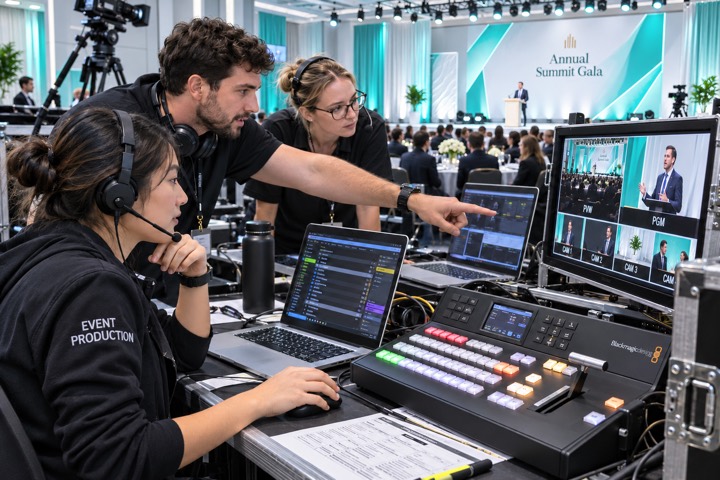
Features
Other typical features
of a web conference.
- Slide presentations
- Often created through PowerPoint.
- Live video
- Via webcam or digital video camera.
- VoIP
- Real-time audio communication through the computer via headphones and speakers.
- Recording
- For viewing at a later time by anyone using a unique web address.
- Whiteboard with annotation
- Allowing the presenter and/or attendees to highlight or mark items on the slide presentation, or simply make notes on a blank whiteboard.
- Text chat
- For live question and answer sessions.
- Polls and surveys
- Allows the presenter to conduct questions with multiple-choice answers directed to the audience.
- Screen sharing
- Desktop and application sharing, where participants can view anything the presenter currently has on their screen. Some screen sharing applications allow for remote desktop control, allowing participants to manipulate the presenter's screen, although this is not widely used.